

Table of Contents
Highlights
- QuickBooks for small business plans differ in user limits and features: Free and Simple Start suit basic solo operations, Essentials adds team and bill-management tools, and Plus adds inventory and project tracking.
- Choose a plan based on the features the business actually uses, the number of people who need access, and the total recurring cost, not on the assumption that the most expensive tier is best.
- Review the plan’s limits before subscribing: inventory, project profitability, class and location tracking, and user seats vary by tier and can affect whether an upgrade is needed.
- Automation can speed up transaction categorization, invoicing, and reporting, but financial records still need human review and reconciliation.
- Plan prices and features can change. Check current pricing directly with QuickBooks and consult a qualified tax or accounting professional about financial decisions.
QuickBooks for small business is worth considering when an enterprise needs more than basic spreadsheets to track revenue, manage operational expenses, generate client invoices, and protect working capital reserves. A solo founder with streamlined operational requirements can start with introductory packages, whereas an expanding enterprise requiring multi-user access, complex inventory oversight, and custom reporting structures can evaluate tiered cloud software subscriptions. Deciding on QuickBooks for small business depends on specific organizational workflows, team size, administrative demands, and the total recurring investment, including ancillary third-party tools.

Selecting QuickBooks for small business enables automated ledger synchronization, structured expense categorization, and seamless collaboration with professional accountants. While modern automation minimizes administrative burdens, human oversight remains necessary for verifying ledger reconciliations and reviewing strategic statements. Implementing QuickBooks for small business provides business leaders with the financial clarity required to navigate competitive American commercial markets effectively.
How QuickBooks for Small Business Powers Daily Operations
Operating a commercial venture in the United States requires managing cash inflows, controlling operational overhead, and maintaining compliant ledger records. Utilizing QuickBooks for small business establishes a centralized master ledger that aggregates financial activity across commercial checking accounts, corporate credit facilities, and merchant payment processors. By centralizing these records through QuickBooks for small business, leadership teams shift from reactive administrative tasks to real-time visibility over operating margins and corporate performance.
Adhering to essential bookkeeping best practices for small business ensures that financial transactions undergo routine reconciliation rather than chaotic end-of-year assembly. Deploying QuickBooks for small business supports this discipline by generating fundamental compliance reports—such as Profit and Loss statements, balance sheets, accounts aging summaries, and cash flow forecasts—with standardized formatting aligned with American commercial standards.
This content is for general informational purposes only and is not legal, tax, or financial advice. Small Business Expo is not a law firm and does not provide legal services or act in any legal capacity. Consult your lawyer, tax professional, or financial advisor before acting on these steps.

Bank Feeds and Automated Transaction Categorization
The technological foundation of modern bookkeeping is the direct financial institution data feed. When linked with commercial banks and merchant payment gateways, QuickBooks for small business continuously downloads pending and settled transactions. Enterprise administrators establish custom banking rules that automatically assign recurring vendor disbursements to designated general ledger accounts.
Maintaining an organized chart of accounts prevents misallocated expenses, ensuring reliable reporting when tracking holistic small business finances. Automated rule engines match incoming customer deposits against open receivables, which dramatically reduces manual journal entries, eliminates computational errors, and lowers administrative overhead across internal finance departments. Incorporating QuickBooks for small business into everyday procedures guarantees that every business dollar is accounted for systematically.
Invoicing, Receivables, and Cash Flow Tracking
Maintaining corporate solvency requires shortening the accounts receivable lifecycle and eliminating operational payment bottlenecks. Utilizing QuickBooks for small business allows companies to create and distribute customized digital invoices containing embedded payment links for commercial credit cards, debit transactions, and automated clearing house transfers. Instant payment processing helps eliminate the collection friction traditionally associated with paper invoicing methods.
Automated payment notifications alert clients before and after invoice deadlines, systematically minimizing past-due balances without consuming staff bandwidth. Empirical industry surveys indicate that companies deploying automated receivables workflows collect revenue an average of 4 days faster than peer firms utilizing manual invoicing methods. Furthermore, integrated cash flow forecasting modules within QuickBooks for small business project near-term liquidity by balancing pending accounts receivable against scheduled vendor disbursements. This operational foresight empowers business managers to optimize working capital allocations, negotiate vendor trade terms advantageously, and prevent unexpected cash flow constraints during fluctuating business cycles across competitive industries.
Evaluating Subscription Plans, Pricing, and Total Ownership Costs
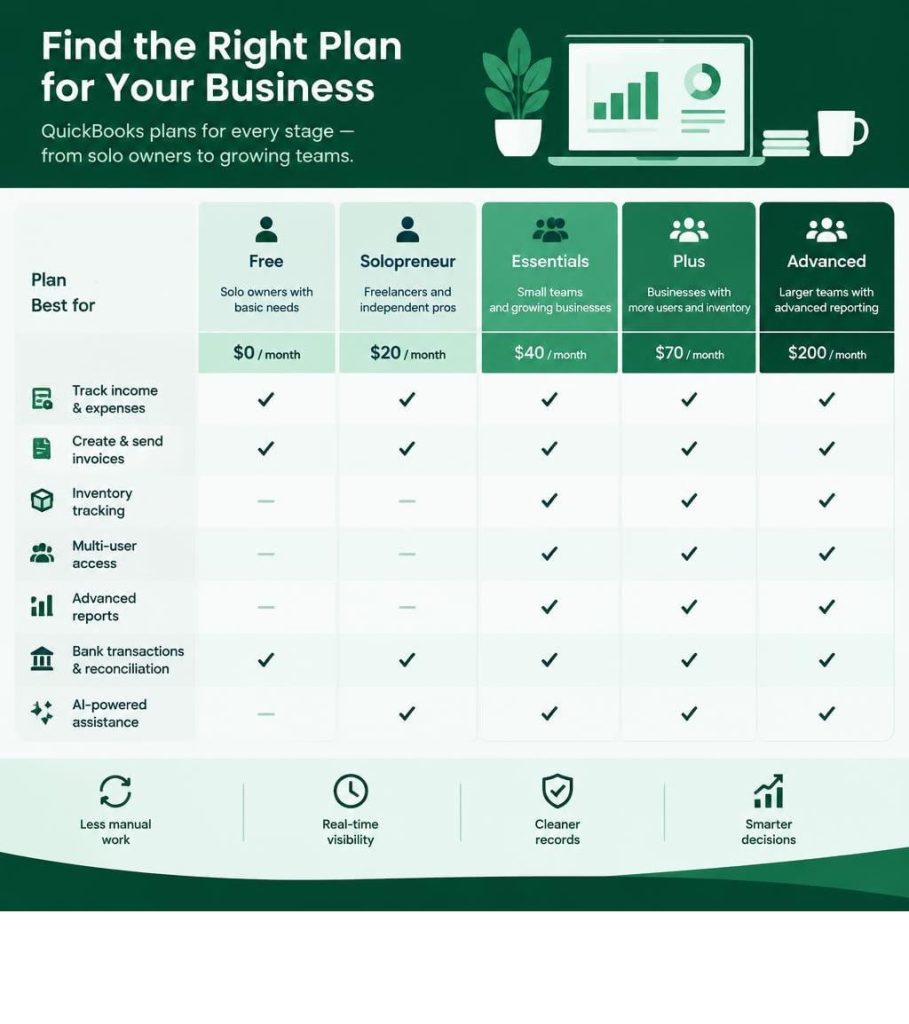
Selecting the appropriate accounting software tier requires balancing user seat requirements, operational complexity, and ongoing software overhead. QuickBooks provides multiple service levels tailored to different operational stages.
|
Plan Tier |
Base Monthly Cost |
Promotional Rate (First 3 Months) |
Included User Seats |
External Accountant Seats |
Core Differentiating Features |
|---|---|---|---|---|---|
|
Free |
$0/mo |
N/A |
1 User |
0 Seats |
1 bank connection, up to 2 invoices/mo, basic income & expense tracking |
|
Simple Start |
$38/mo |
$11.40/mo (70% off) |
1 User |
2 Seats |
Auto tax categories, invoice & receipt capture, mileage tracking |
|
Essentials |
$85/mo |
$25.50/mo (70% off) |
3 Users |
2 Seats |
Bill management, time tracking entry, multi-currency support |
|
Plus |
$140/mo |
$42.00/mo (70% off) |
5 Users |
2 Seats |
Inventory tracking, project profitability, up to 40 classes & locations |
|
Advanced |
$340/mo |
$102.00/mo (70% off) |
25 Users |
3 Seats |
Custom user roles, batch invoicing, workflow automation, Excel sync |
|
Enterprise |
Starts at $1,873/yr |
Custom quotes |
Up to 40 Users |
Dedicated |
Advanced pricing rules, deep inventory, industry-specific reporting |
Evaluating plan specifications through NerdWallet’s QuickBooks product breakdown helps business leaders compare operational limitations across tiers. Selecting a plan with appropriate permissions is vital for preventing common accounting mistakes caused by unauthorized transaction edits or shared login credentials. Choosing QuickBooks for small business requires analyzing functional scalability against long-term subscription costs.
Choosing the Right QuickBooks for Small Business Tier
Small enterprise requirements dictate which subscription tier delivers optimal return on investment:
- QuickBooks Free: Designed for brand-new solo operators, the QuickBooks Free tier specifications provide baseline income tracking, a single bank connection, and two monthly invoices at zero ongoing cost.
- Simple Start: Best for independent contractors needing unlimited invoicing, receipt scanning, and automated quarterly tax estimation.
- Essentials: Fits service firms with small administrative teams requiring accounts payable management and employee timesheet entry.
- Plus: Represents the standard QuickBooks for small business tier for product-based businesses, construction contractors, and multi-location businesses needing job costing and inventory valuation.
- Advanced: Built for scaling mid-market enterprises needing granular access controls, automated data backup restoration, and batch transaction processing.
Reviewing official QuickBooks Online pricing structures ensures accurate long-term forecasting when budgeting for small business software costs. Aligning operational workflows with QuickBooks for small business enables growing companies to manage departmental expenditures without incurring excessive licensing overhead.

Desktop Product Phase-Out and Enterprise Scalability
In October 2024, Intuit discontinued new subscription sales of standalone desktop products, including QuickBooks Desktop Pro Plus, Premier Plus, and Mac Plus. Existing legacy subscribers retain access, but new deployments are guided toward cloud ecosystems. Utilizing cloud-based QuickBooks for small business provides anytime access across remote teams while safeguarding institutional financial data.
For organizations requiring on-premises architecture, heavy localized processing, or capacity for up to 40 simultaneous users, QuickBooks Desktop Enterprise remains active. It accommodates advanced manufacturing requirements, complex Assemblies tracking, and specialized industry reporting formats that exceed standard cloud limits. For most standard commercial firms, modern cloud implementations of QuickBooks for small business supply complete financial control, high security, and seamless collaboration.
Advanced Automation, AI Workflows, and Tech Stack Integrations
Modern accounting infrastructure relies on automated data processing. Independent reviews, such as the Forbes Advisor evaluation of QuickBooks Online, emphasize that software automation saves businesses an average of 13 hours per month by eliminating repetitive data entry. Adopting QuickBooks for small business allows management teams to direct administrative resources toward revenue-generating initiatives rather than manual data entry tasks.
Leveraging QuickBooks for Small Business Automation with Intuit Intelligence
Intuit Intelligence introduces machine learning algorithms to automate core bookkeeping routines:
- Transaction Categorization: Evaluates historical matching patterns across millions of transactions to sort incoming bank records with high accuracy.
- Document Parsing: Extracts text from photographed paper receipts, PDF invoices, and vendor emails, auto-populating expense line items.
- Sales Tax Calculation: Dynamically applies jurisdictional rates based on customer location and product nexus rules.
- Predictive Scenario Modeling: Runs automated simulations evaluating how planned capital expenditures or staff additions impact working capital reserves.
According to platform data, 88% of businesses report higher operational efficiency and 83% report increased decision confidence when utilizing connected artificial intelligence workflows within QuickBooks for small business. These automated capabilities act as a vital complement to human bookkeepers and certified public accountants.
Workforce Management and Third-Party App Ecosystem
Deploying QuickBooks for small business connects accounting records directly with workforce operations through integrated payroll modules, automated tax filings, and digital time-tracking tools. Synchronizing operational software via integrated billing software for small business operations eliminates duplicate entry errors across departments.
With more than 800 third-party application integrations available—including point-of-sale platforms, PayPal, Shopify, Square, and CRM tools—financial records synchronize continuously across sales channels. By consolidating point-of-sale, inventory management, and fulfillment platforms into QuickBooks for small business, commercial enterprises establish unified financial visibility across every operational customer touchpoint.
Final Thoughts
Maintaining accurate financial records is essential for sustaining long-term business health and profitability. Implementing structured accounting workflows, automated bank reconciliation, and real-time cash flow monitoring through QuickBooks for small business allows commercial leaders to make informed operational decisions.
Business owners seeking to optimize their technology infrastructure can review the comprehensive small business software guide provided by Small Business Expo, or attend national B2B networking events to connect directly with technology exhibitors and industry experts. Deploying QuickBooks for small business establishes a resilient financial foundation capable of supporting scalable growth in competitive modern markets.
Frequently Asked Questions About Small Business Accounting
Is QuickBooks Online cloud-based or installed locally?
QuickBooks Online is a cloud-native software accessible via desktop web browsers and mobile applications on iOS and Android devices. Data updates in real time, backed by automated cloud storage and bank-grade 128-bit SSL encryption without requiring local server maintenance. Adopting QuickBooks for small business via cloud deployment guarantees secure multi-device accessibility for remote teams across the United States.
What happened to QuickBooks Desktop Pro and Premier versions?
Intuit stopped selling new subscriptions to Desktop Pro Plus, Premier Plus, and Mac Plus in October 2024. Companies seeking desktop solutions must use QuickBooks Desktop Enterprise, while other organizations are supported on cloud-based QuickBooks Online tiers. Transitioning to cloud QuickBooks for small business ensures continuous feature enhancements and automated regulatory updates.
Can external accountants access the company ledger for free?
Yes. Paid QuickBooks Online subscriptions include separate, dedicated accountant seats (ranging from 2 to 3 depending on the plan) at no additional charge. External CPAs and professional bookkeepers log in through specialized accountant consoles without consuming paid operational user seats allocated to internal enterprise staff members.
Is the cost of a QuickBooks subscription tax-deductible?
Under IRS Publication 946 and Section 179 guidelines, off-the-shelf business software subscriptions purchased for operational management qualify as deductible operating business expenses. Organizations should verify specific filing classifications with a qualified tax advisor before claiming annual deductions on corporate federal and state tax filings.
How does Intuit Intelligence assist with daily transaction matching?
Intuit Intelligence reviews previous transaction histories, vendor memos, and deposit amounts to categorize incoming bank transactions automatically. It flags ledger anomalies, uncovers overlooked deductible expenses, and cross-references scanned receipt photos against pending ledger charges, substantially reducing manual administrative labor for corporate bookkeeping staff.
How does QuickBooks compare against alternative cloud accounting software?
QuickBooks maintains the largest market share in the United States, making it the standard platform among American CPAs and tax professionals. Its extensive integration library of over 800 apps and integrated payroll tools provide a broad operational ecosystem that outperforms most alternative accounting platforms for growing enterprises.
Is QuickBooks worth the investment for solo entrepreneurs?
For freelancers and single-member entities, starter plans or the Free tier of QuickBooks for small business provide an efficient way to separate personal and business expenses, log deductible mileage, and establish clean balance sheets that support future commercial loan applications.