

Table of Contents
Our top picks are Square, PayPal Zettle, and Clover for their user friendliness and easy set up. But there are many factors that go into this decision, and the the best payment processor for your small business may be something else.
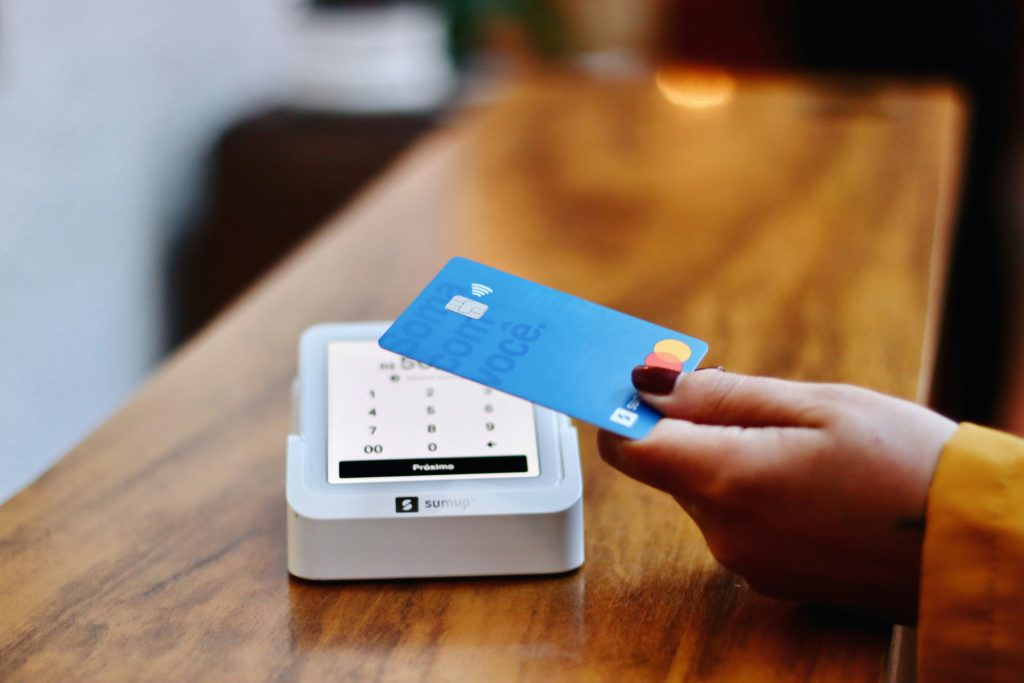
How much does a credit card processor cost?
The short answer is everyone’s favorite: “it depends.” Most small businesses can expect to pay around 2-4% per credit card transaction all-in.
The typical credit card processor cost range for small businesses
Most credit card processing costs come from three layers: interchange fees (usually 1.5%–3.0% of the transaction), processor markup (you can shop around for different quotes, but it’s usually 0.1-1% + $0.05-0.30 per transaction), and extra fees (monthly account fees: $0–$30, payment gateway fees (for online businesses), PCI compliance fees, chargeback fees, etc.).
Pricing models for credit card processing
There are a few different pricing models you’ll usually hear about:
- Flat rate:
- Something like “2.9% + $0.30”
- Great for small or growing businesses
- Interchange-plus (more transparent, often cheaper at scale):
- “Interchange + 0.3% + $0.10”
- Better once you have steady volume.
- Tiered pricing (usually the least transparent):
- Often looks inexpensive on paper but costs more in practice.
Why Small Businesses Are Calling Conferences in Las Vegas This Week a ‘Must-Attend’ Investment
Key Factors to Consider When Choosing the Best Credit Card Processing for Your Small Business

If you have a small business, picking the best credit card processing isn’t as simple as choosing the one with the lowest fees. What works best for one business might be entirely wrong for another. Here are the key factors to weigh:
1. Costs
Transaction fees are unavoidable, but they vary widely depending on the processor. Some charge flat rates (e.g., 2.6% + 10¢ per transaction), while others use complex tiered pricing. And don’t forget additional costs like monthly fees, chargeback fees, or equipment costs. Ever look at your expense report and wonder, Why is this fee here? Hidden charges are common, so it’s essential to choose a processor with transparent pricing.
2. Contract Terms
Some processors lock you into long-term agreements with early-termination penalties, while others work on a month-to-month basis. If you’re testing the waters or still growing, a flexible agreement gives you wiggle room to adjust.
3. Ease of Use
What’s worse than an unreliable system in the middle of a transaction? Complicated interfaces or poor customer support can frustrate both you and your customers. Look for processors with straightforward platforms and prompt, reliable support teams. You want your energy spent on running your business, not troubleshooting.
4. Scalability and Integrations
Your processor should grow with you. If you’re adding an online store or branching out to new locations, a scalable system provides seamless transitions. Bonus points if the processor integrates well with your existing POS (point-of-sale) systems or e-commerce tools. The best credit card processing for small businesses adapt as your needs evolve.
5. Security Features
When handling customers’ financial data, security is non-negotiable. Encrypted transactions, fraud protection, and PCI (Payment Card Industry) compliance are just the start. A processor that prioritizes security protects not just your business but also your reputation.
Keep these factors handy as you evaluate your options. Think of finding the right processor as the business equivalent of finding a reliable car. It’s not just about price; it’s also about handling, reliability, and how well it fits your lifestyle (or in this case, workflow).
Learn more: Supercharge Your Sales: The POS Systems That Are Changing the Small Business Game!
Comparison of the Best Credit Card Processors for Small Businesses
Now that you know what to look for, let’s explore some popular options. Each of these processors has strengths tailored for small businesses. Which one might be your perfect fit?
1. Square
If simplicity is key, Square is hard to beat. Known for its flat-rate pricing and mobile functionality, it’s a dream for food trucks, market vendors, and other on-the-go businesses. Features like inventory tracking and sales analytics are built-in, making it a no-fuss solution for beginners and seasoned business owners alike. Square is often considered one of the best credit card processing for small business solutions.
- Standout Features:
- Free point-of-sale software.
- Transparent flat-rate fees (2.6% + 10¢ per tap, dip, or swipe).
- No long-term contracts.
2. PayPal Zettle
PayPal Zettle is perfect for businesses that double as online merchants. Seamless integration with PayPal accounts allows you to accept online payments alongside in-person transactions. It’s among the best small business credit card processing options for those looking for online and in-person payment flexibility. Plus, it’s easy to set up and start using.
- Standout Features:
- 2.29% + 9¢ for card transactions.
- Integration with PayPal for e-commerce.
- Sleek, portable card readers.
3. Stripe
Stripe is a tech-savvy processor that opens the door to customization. Designed primarily for online businesses, it offers advanced features for developers to create tailored payment solutions, making it one of the best online credit card processing for small businesses, especially for those with technical expertise. If you’re comfortable with coding or run a digitally robust operation, Stripe is an excellent choice.
- Standout Features:
- 2.9% + 30¢ per online transaction.
- Extensive API for advanced integrations.
- Supports international payments.
4. Clover
Clover offers a versatile suite of POS systems, from countertop to mobile setups. This processor suits businesses needing hardware to match varying operational needs, such as restaurants with tableside payments or retailers with self-service kiosks. Many consider it among the best credit card machines for small businesses due to its adaptability.
- Standout Features:
- Customizable POS hardware options.
- Real-time sales and analytics reports.
- Marketing tools like loyalty programs.
5. Shopify Payments
For e-commerce businesses, Shopify Payments shines. By cutting out third-party processors, it simplifies payment management directly within your Shopify store. It’s a top contender for the best credit card processing for small business, especially for online sellers.
- Standout Features:
- No third-party transaction fees for Shopify users.
- Robust e-commerce tools.
- Integrated PCI compliance.
Whether you’re running a food truck, online store, or retail shop, these options provide some of the best solutions.
Pros and Cons of Each Processor
To make your choices clearer, here’s a quick breakdown of the pros and cons:
|
Processor |
Pros |
Cons |
|---|---|---|
|
Square |
Flat rates, mobile-friendly, easy setup |
Limited customer service availability |
|
PayPal Zettle |
Great for hybrid (online + in-person) businesses, integrates with PayPal |
High fees for international or currency exchange transactions |
|
Stripe |
Excellent for developers, multi-currency support |
Steeper learning curve for non-technical users |
|
Clover |
Hardware versatility, strong analytics |
Higher upfront costs for hardware |
|
Shopify Payments |
Perfect for Shopify stores, seamless management |
Limited utility for non-Shopify stores |
Tips for Choosing the Right Processor for Your Business
Here’s how to make the decision with confidence:
- Assess Your Needs Consider your business type, transaction volume, and customer preferences. Do you need portability or e-commerce integration?
- Test the Waters Many processors offer free trials or demos. Go ahead, take them for a spin before committing.
- Read the Fine Print Hidden fees can eat into profits fast. Look for transparent pricing models.
- Think Ahead If growth is part of your plan, pick a processor that scales with you. The right partner will evolve with your success.
Remember, you hold the key to finding a processor that complements your hard work. The right choice won’t just process payments; it’ll help your business thrive.
Learn more: Are You Using the Right Content? Marketing Materials Photos vs Videos Static vs Dynamic Explained
What is the difference between flat-rate and interchange-plus pricing?
Flat-rate pricing charges a single percentage per transaction, regardless of the card type or network, making costs predictable. Interchange-plus pricing offers lower rates but adds variable fees for each card type, which can be more cost-effective for high-volume businesses.
Can credit card processors support mobile payments?
Yes, many processors provide mobile payment solutions, enabling businesses to accept payments through smartphones or tablets. These systems are perfect for on-the-go sales, pop-up shops, or service-based businesses.
How long does it take to get funds from a credit card transaction?
Most processors settle funds within 1-2 business days, though some offer same-day payouts for a fee. Faster deposit times can improve cash flow, especially for small businesses with tight margins.
Do credit card processors offer fraud protection tools?
Reputable credit card processors include features like encryption, tokenization, and real-time fraud monitoring to safeguard transactions. These tools help protect both the business and customers from data breaches and fraudulent activities.
Is it possible to integrate credit card processing with accounting software?
Yes, many providers offer integrations with popular accounting software like QuickBooks or Xero. This streamlines financial management by syncing sales data, reducing manual entry, and minimizing errors.